
Zalman CUBIX M-ATX Micro-ATX Compact Desktop PC Case with 80mm Fan
4.5Editor score
Compact and durable steel construction
Supports standard ATX power supply units
Perforated front panel for high airflow
This guide compares the top cube shaped pc case models for performance and style, helping you choose the right compact gaming or work build solution.
Finding the right enclosure for your build can be challenging when you want both style and function. A cube shaped pc case offers a unique aesthetic that stands out on any desk while providing solid protection for your components.
We evaluated ten leading models based on airflow, compatibility, and build quality to bring you this curated list. Each option balances compact dimensions with the space needed for modern hardware like graphics cards and cooling systems.
Every pick highlights specific strengths so you can match a case to your needs without guessing. Please note that availability and pricing may change over time, so check current details before purchasing your next rig.
4.5Editor score
4.7Editor score

4.7Editor score
The following table provides a side-by-side comparison of all ten models featured in this guide. It highlights key specifications and unique features to help you quickly identify the best fit for your next build.



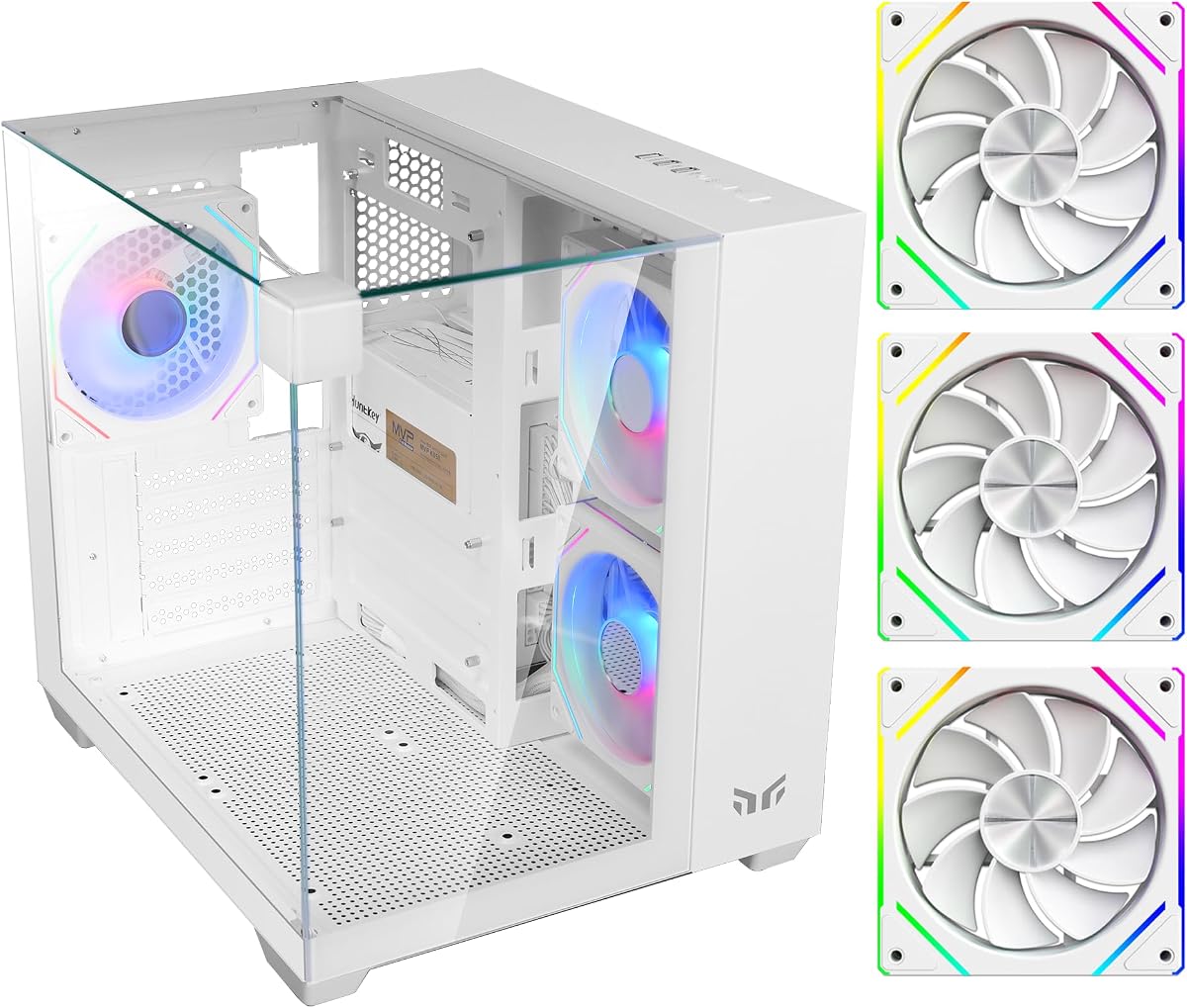
This case stands out for its visual appeal and practical compact design. It earns a high rating for its ability to showcase components through a panoramic glass layout while maintaining a small desktop footprint.
We may earn a commission when you buy through this link, at no additional cost to you.
The triple tempered glass panel design creates a pillar-less showcase that highlights your hardware beautifully. It comes with three pre-installed ARGB fans that provide immediate airflow and lighting without extra purchases. The layout supports Micro-ATX and Mini-ITX motherboards effectively.
While it is excellent for smaller builds, it does not support full ATX motherboards which may limit upgrade paths. The glass panels also need careful handling during transport or cleaning to avoid chips or cracks.
Buyers seeking a visually striking case for a micro form factor build will love this option. It balances style and function well for gaming or work setups that need to save space on the desk.
The 270 degree glass layout provides an unobstructed view of your components from nearly any angle.
Pre-installed fans and optimized airflow paths help maintain stable temperatures during intensive tasks.
We may earn a commission when you buy through this link, at no additional cost to you.
The Node 804 is a legend in the cube case category for its superior airflow and modularity. It holds a strong rating due to its unique dual chamber design that separates power supply components from other hardware.
We may earn a commission when you buy through this link, at no additional cost to you.
Its interior layout allows for exceptional storage options with support for multiple drives. The included silent fans provide quiet operation out of the box. It supports water cooling with space for up to four radiators simultaneously.
The size is more substantial than typical cube cases which might not fit on very small desks. The lack of RGB lighting appeals to minimalists but may disappoint users wanting colorful effects.
This case is ideal for builders who prioritize airflow and storage over flashy aesthetics. It works well for workstation builds or silent gaming rigs where noise control is key.
Separating heat sources improves overall cooling performance and keeps cables organized efficiently.
The drive mounting system allows for flexible configurations to meet different storage needs.
We may earn a commission when you buy through this link, at no additional cost to you.
This case offers an accessible entry point for those wanting a cube form factor. It maintains a solid rating for its durability and compact footprint despite its budget-friendly nature.
We may earn a commission when you buy through this link, at no additional cost to you.
The perforated front panel ensures decent airflow even with just one pre-installed fan. It supports standard ATX power supplies which is rare for such small cases. The steel construction feels robust for the price.
The I/O ports are limited to basic connectivity which may require rear panel usage for some devices. Adding more fans might be needed for high-end components to keep temperatures low.
It is perfect for budget builds or office setups where space is tight. Users who need a simple reliable enclosure will find this model a great value.
At 17.1 liters it occupies minimal desk real estate while still fitting standard hardware.
Supporting standard power supplies makes it easier to source parts without special editions.
We may earn a commission when you buy through this link, at no additional cost to you.
The QUBE 540 brings a twist to the cube category with its flexible orientation design. It scores well for its ability to adapt to different desk layouts while supporting powerful components.
We may earn a commission when you buy through this link, at no additional cost to you.
Its mesh front panel maximizes ventilation for components under load. The case supports very long graphics cards and even E-ATX motherboards within a compact frame. USB-C connectivity adds modern convenience.
It is bulkier than a typical cube which may not fit in tight spots easily. The weight also makes it less portable than smaller options.
This model suits builders who need room for high-end hardware but want a cube aesthetic. It is great for users who need flexible placement options on their desk.
The case can sit horizontally or vertically with reversible I/O to match your setup.
Accommodating GPUs up to 415mm ensures future proofing for new graphics cards.
We may earn a commission when you buy through this link, at no additional cost to you.
This model emphasizes visual impact with its dual glass and included RGB fans. It earns a moderate rating due to its strong feature set for gaming aesthetics.
We may earn a commission when you buy through this link, at no additional cost to you.
The five pre-installed fans provide ample lighting and cooling right away. Dual glass panels allow you to see inside from multiple angles. The dual chamber layout helps with airflow separation.
RGB synchronization might not work seamlessly with all motherboards as noted. The glass adds weight and risk during handling compared to steel panels.
Ideal for gamers who want a colorful setup without buying extra fans. It offers good value for those prioritizing style and basic cooling features.
Multiple modes and sync options allow for extensive lighting customization.
Separating components helps maintain consistent airflow throughout the case.
We may earn a commission when you buy through this link, at no additional cost to you.
This version of the CUBIX adds a unique color finish to the mix. It holds a solid rating for its balance of cost and modern features like USB-C.
We may earn a commission when you buy through this link, at no additional cost to you.
The FRGB fans provide fixed lighting that simplifies setup. The compact design fits small spaces well while still accepting standard components. The USB-C port ensures faster connectivity.
Fixed lighting means less control over color patterns compared to addressable fans. Internal space is limited which may restrict heavy storage needs.
It is a great pick for those who want a clean look without complex RGB tuning. The design suits desktops where style and simplicity matter.
The Panda black and white finish offers a distinctive look on any desk.
Front USB-C allows quick access for modern devices and storage.
We may earn a commission when you buy through this link, at no additional cost to you.
This model pushes the limits of cube form factors with extra space for cooling. It has a decent rating for its comprehensive fan and cooling options.
We may earn a commission when you buy through this link, at no additional cost to you.
Seven pre-installed fans allow for extensive airflow customization. It supports full ATX motherboards and massive graphics cards. Water cooling options include support for large radiators.
Its size exceeds typical cube dimensions which might not fit on small desks. The high fan count could lead to more noise if not tuned.
Best for users who need serious cooling in a unique shape. It works well for enthusiast builds that prioritize thermal performance.
Multiple fan mounts and large radiator support ensure high thermal headroom.
Supporting full ATX boards broadens compatibility compared to smaller cube cases.
We may earn a commission when you buy through this link, at no additional cost to you.
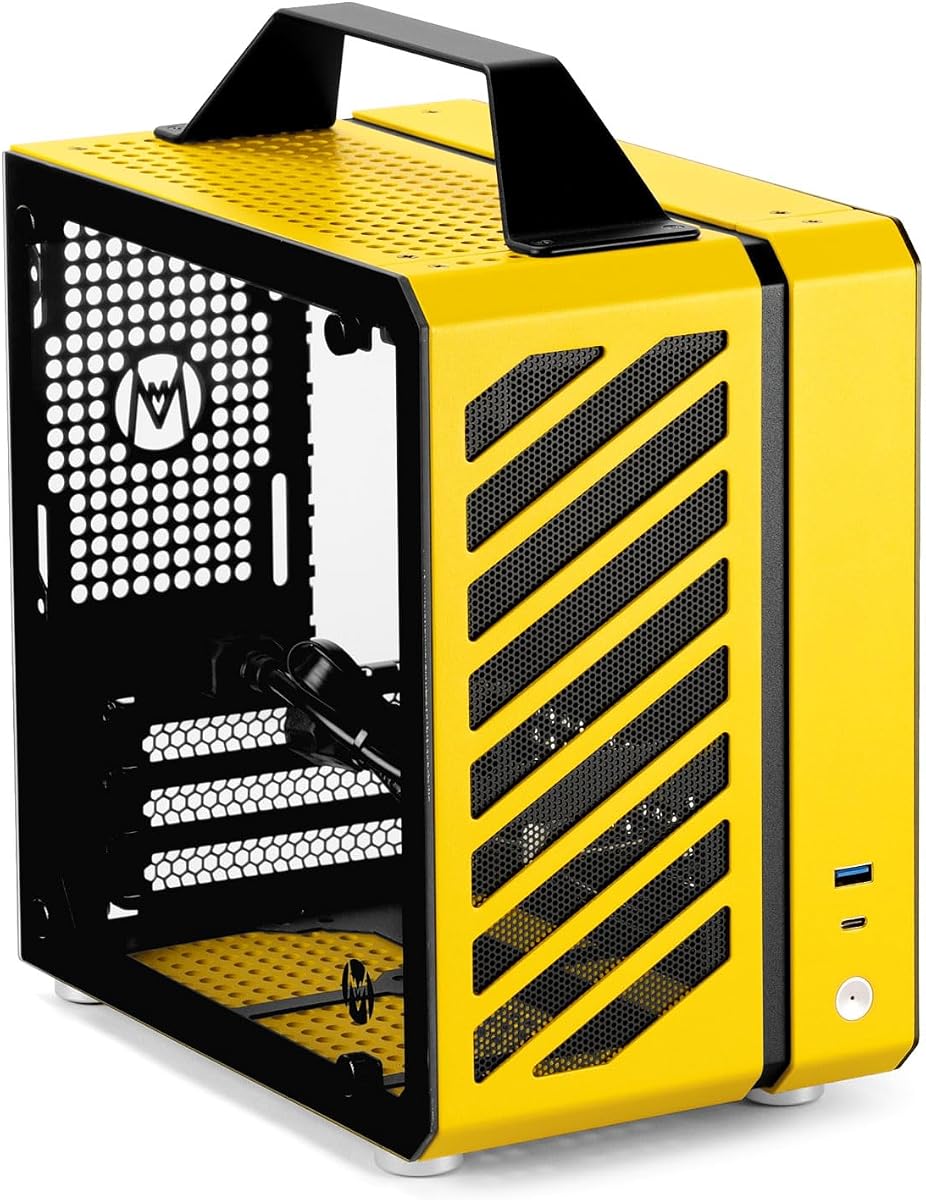
This case focuses on extreme portability and premium build quality. It rates well for its compact size and durable construction materials.
We may earn a commission when you buy through this link, at no additional cost to you.
The integrated handle makes it easy to transport to LAN parties. It uses aluminum and steel for a robust feel. Support for DTX boards adds flexibility.
It requires an SFX power supply which can be expensive. The price is higher than standard cases due to the materials and design.
Perfect for mobile builders who want a sturdy and compact rig. It suits users who prioritize build quality and transportability.
A built-in handle and compact size make moving the system easy.
Hybrid materials provide strength while keeping the weight manageable.
We may earn a commission when you buy through this link, at no additional cost to you.
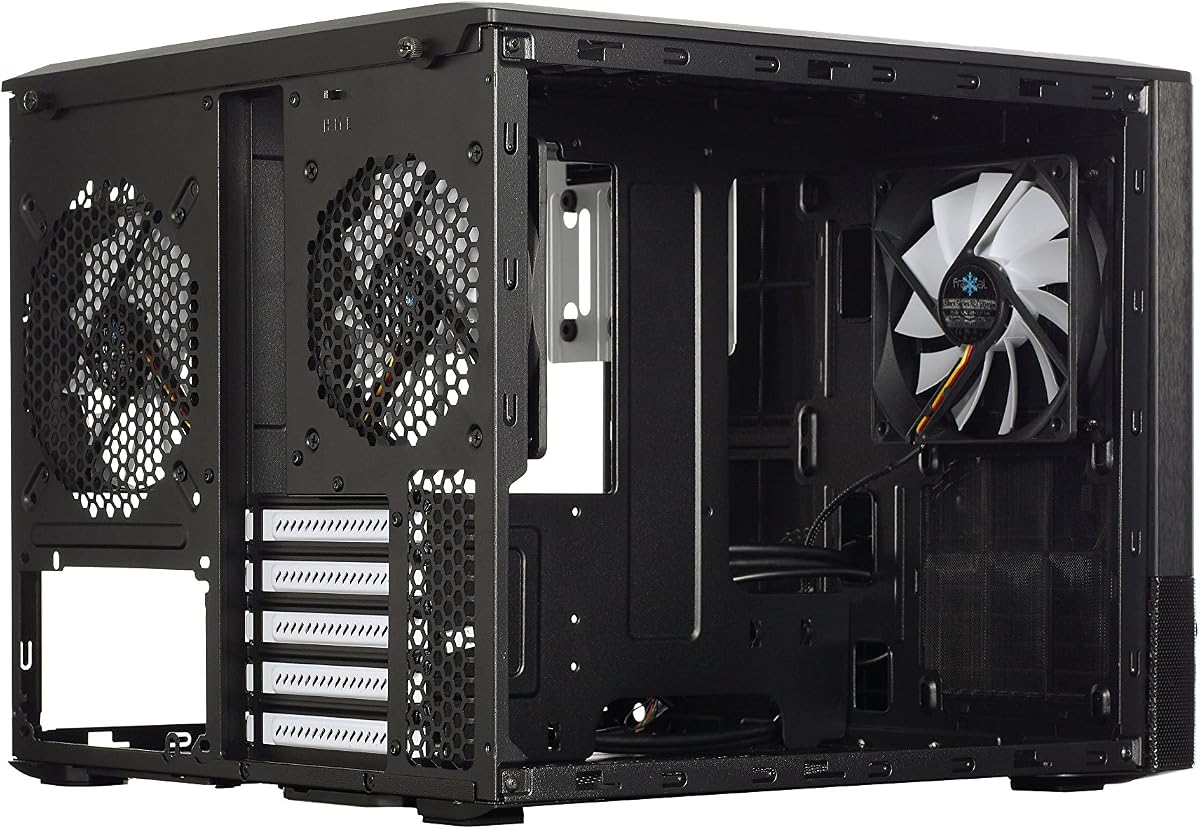
This version of the Node 804 offers a classic design without the power supply. It holds a high rating for its proven build quality and storage capabilities.
We may earn a commission when you buy through this link, at no additional cost to you.
The aluminum and steel construction ensures durability. Internal bays support a high number of drives for storage needs. It remains a standard for airflow in this category.
The lack of a PSU means you must buy one separately which adds cost. Its size is also more than a mini cube.
Suitable for storage servers or workstation builds needing drive bays. It is a reliable choice for those who value function over flash.
Internal bay design allows for extensive drive options.
A proven layout that has stood the test of time for cooling.
We may earn a commission when you buy through this link, at no additional cost to you.
This model offers a special color option for those wanting variety. It has a moderate rating largely due to aesthetic preferences and handling notes.
We may earn a commission when you buy through this link, at no additional cost to you.
The Moonstone finish provides a clean look for modern builds. Flexible orientation allows you to position it horizontally or vertically. The mesh front maintains good airflow.
Some users may find the finish shows fingerprints easily. Ratings suggest mixed satisfaction with specific features.
Good for those who prioritize unique aesthetics and standard ATX support. It works for users who want a fresh look on their desk.
Special finishes allow your case to match your room decor.
Orientation flexibility helps fit the case into existing furniture.
We may earn a commission when you buy through this link, at no additional cost to you.
Selecting the right cube shaped pc case involves balancing size compatibility and design features. This guide helps you understand the key factors to ensure a good fit.
Cube cases vary in volume so check the total liters and dimensions. Smaller cubes are great for desks but may limit hardware choices.
Ensure the case fits your desk space and provides enough room for airflow.
Most cube cases support Micro-ATX or Mini-ITX boards which are smaller than standard ATX. Some larger models do support full ATX.
Verify the max motherboard width and slot count before purchasing to avoid fit issues.
GPU length is a critical spec since many cubes have limited space. Look for cases that match your card length to ensure it fits.
Clearance should be at least 320mm for modern cards to be safe.
Efficient airflow is key to preventing overheating. Look for mesh panels or pre-installed fans that aid air movement.
Cases with multiple fan mounts or liquid cooling support offer better thermal performance.
Front I/O ports determine how easily you can connect devices. Modern cases include USB Type-C for fast data transfer.
Check that the case offers at least two USB 3.0 ports for daily use.
Materials like steel and aluminum affect durability and noise. Tempered glass adds style but requires careful handling.
A solid build ensures the case lasts longer and protects your components well.
Consider how many drives you need for storage. Some models support many HDDs while others focus on SSDs only.
Select a case with enough drive bays to meet your current and future storage needs.
Visual style matters for gaming setups. Look for RGB options or color finishes that match your theme.
Decide if you want customizable lighting or a minimalistic look for your build.
Ensure your motherboard fits before installing hardware. Mount the board on the standoff points carefully to prevent damage during assembly.
Keep fans clean by wiping dust from the mesh panels regularly. This helps maintain optimal airflow and prevents overheating of components.
Avoid placing the case in areas with high vibration. Secure it on a stable surface to prevent internal components from loosening over time.
Cube shaped cases offer a unique compact footprint that saves desk space while providing a stylish look. They often feature optimized airflow and support standard components in a smaller form.
Some larger cube cases support full ATX motherboards but many support only Micro-ATX or Mini-ITX. Always check the product specs for compatibility before purchasing to avoid issues.
Yes many models support liquid cooling with radiators up to 280mm or 360mm. Check the clearance for radiators to ensure your cooling solution fits.
Look for cases supporting at least 320mm to 340mm GPU length. Many modern graphics cards are large so clearance is a vital specification to confirm.
Yes they are suitable for gaming due to efficient airflow and compact design. High-end models support powerful GPUs and cooling systems for smooth performance.
Use compressed air or a soft cloth to clean dust from the mesh and glass panels. Regular maintenance ensures proper airflow and extends the life of the system.
We explored ten top cube shaped pc case models ranging from budget to premium options. Each case offers unique benefits tailored to different user needs.
Consider your priority factors like size cooling and compatibility when making a decision. Balance aesthetics with functionality for the best overall experience.
Always check current availability and features before purchasing to ensure you get the best fit for your setup.