
SANSUI 24 Inch Curved 160Hz Gaming Monitor
4.4Editor score
160Hz Refresh Rate
1500R Curvature
110% sRGB Color
Finding the right display can transform your gaming experience entirely. A curved 160Hz gaming monitor offers immersive visuals and smooth motion, making it ideal for competitive play and cinematic adventures alike.
We evaluated ten top models based on refresh rate, panel quality, and ergonomic design. Our comparison covers budget-friendly options and premium ultrawide displays to suit every setup and preference.
Each pick highlights key strengths and potential trade-offs for informed decisions. Remember that stock levels and pricing fluctuate frequently, so verify current details before finalizing your purchase today.
4.4Editor score
4.5Editor score

4.6Editor score
As an Amazon Associate we earn from qualifying purchases.
This side-by-side comparison details the specifications and unique features of each model to help you identify the best fit for your gaming needs.






The SANSUI 24 Inch Curved 160Hz Gaming Monitor delivers exceptional value for budget-conscious gamers seeking smooth performance. With a rating of 4.4 stars, it stands out for its fast VA panel and 1500R curvature that wraps around your vision.
We may earn a commission when you buy through this link, at no additional cost to you.
Key strengths include the 160Hz refresh rate and 1ms MPRT response time which ensure fluid motion during competitive play. The monitor also boasts 110% sRGB coverage and a 3000:1 contrast ratio for vibrant visuals and deep blacks.
Trade-offs involve the lack of built-in speakers requiring external audio and limited tilt adjustments without height or swivel options. These are acceptable compromises given the low price and solid gaming performance for entry-level setups.
Budget gamers and small desk users should buy this for reliable 1080p gaming without breaking the bank. It is a recommended pick for those prioritizing refresh rate and immersion over premium features or audio.
The 160Hz refresh rate combined with AMD FreeSync reduces screen tearing and stuttering for a seamless visual experience during intense gameplay sessions.
A 1500R curve creates a natural viewing field that reduces eye strain and helps players focus on targets across the screen edge to edge.
We may earn a commission when you buy through this link, at no additional cost to you.
The SANSUI 27 Inch Curved 160Hz Gaming Monitor expands your view with a larger panel while maintaining budget-friendly pricing. Rated 4.4 stars, it targets users wanting more screen real estate for immersive gaming and multimedia consumption.
We may earn a commission when you buy through this link, at no additional cost to you.
It excels with gamer-centric features like a game assistant for crosshair overlay and timer tools. The 160Hz refresh rate and 4000:1 contrast ratio provide sharp image quality and fluid motion across various genres.
Limitations include no built-in audio and a basic stand without height or swivel adjustments. These trade-offs are reasonable given the 27 inch size and high refresh rate available at this price point.
Casual gamers and media consumers should buy this for the balance of screen size and performance. It is ideal for those who want a bigger curved display without investing in premium monitors.
Built-in game features like black level adjustment and crosshair overlays help players spot enemies and track progress during competitive matches.
The 4000:1 contrast ratio ensures dark scenes have deep blacks which enhances visibility in shadowy game areas and improves overall image depth.
We may earn a commission when you buy through this link, at no additional cost to you.
The SANSUI 24 Inch Curved Gaming Monitor stands out with improved color accuracy rated at 4.5 stars. It offers 160Hz performance and a DCI-P3 97% color gamut for more vibrant and accurate visuals than typical budget panels.
We may earn a commission when you buy through this link, at no additional cost to you.
Strengths include flicker-free technology and blue light reduction for comfortable extended use. The monitor also supports a Kensington lock and offers 178-degree viewing angles for flexible positioning.
Drawbacks remain the lack of audio and limited stand adjustments. These are acceptable for users focused on visual quality and durability without needing extra connectivity or ergonomic features.
Content creators and detail-oriented gamers should buy this for better color fidelity. It is a strong choice for those who need reliable performance for both gaming and creative tasks.
With DCI-P3 97% coverage and 110% sRGB this monitor displays richer colors that enhance game environments and creative work alike.
Flicker-free and low blue light modes reduce eye strain during long sessions helping users maintain focus without discomfort or fatigue.
We may earn a commission when you buy through this link, at no additional cost to you.
The CRUA 32 4K UHD 160Hz Curved Gaming Monitor delivers stunning clarity with 4K resolution and a 1500R curve. Rated 4.3 stars, it is ideal for users seeking crisp details and immersive visuals for open-world games and content creation.
We may earn a commission when you buy through this link, at no additional cost to you.
Key strengths include 120% sRGB color coverage and built-in speakers reducing desktop clutter. The 160Hz refresh rate ensures smooth motion while AMD FreeSync minimizes tearing during competitive play.
Trade-offs involve the need for a powerful graphics card to drive 4K at high refresh rates and a higher price than 1080p options. These are acceptable for enthusiasts prioritizing resolution and media features.
Power users and console gamers should buy this for next-gen visual fidelity. It is perfect for those who want a single premium display for both gaming and multimedia consumption.
The 3840×2160 resolution provides razor-sharp detail allowing you to see textures and environmental elements with incredible precision.
HDMI 2.1 support enables higher bandwidth for consoles and newer PCs ensuring full performance without resolution or refresh rate limitations.
We may earn a commission when you buy through this link, at no additional cost to you.
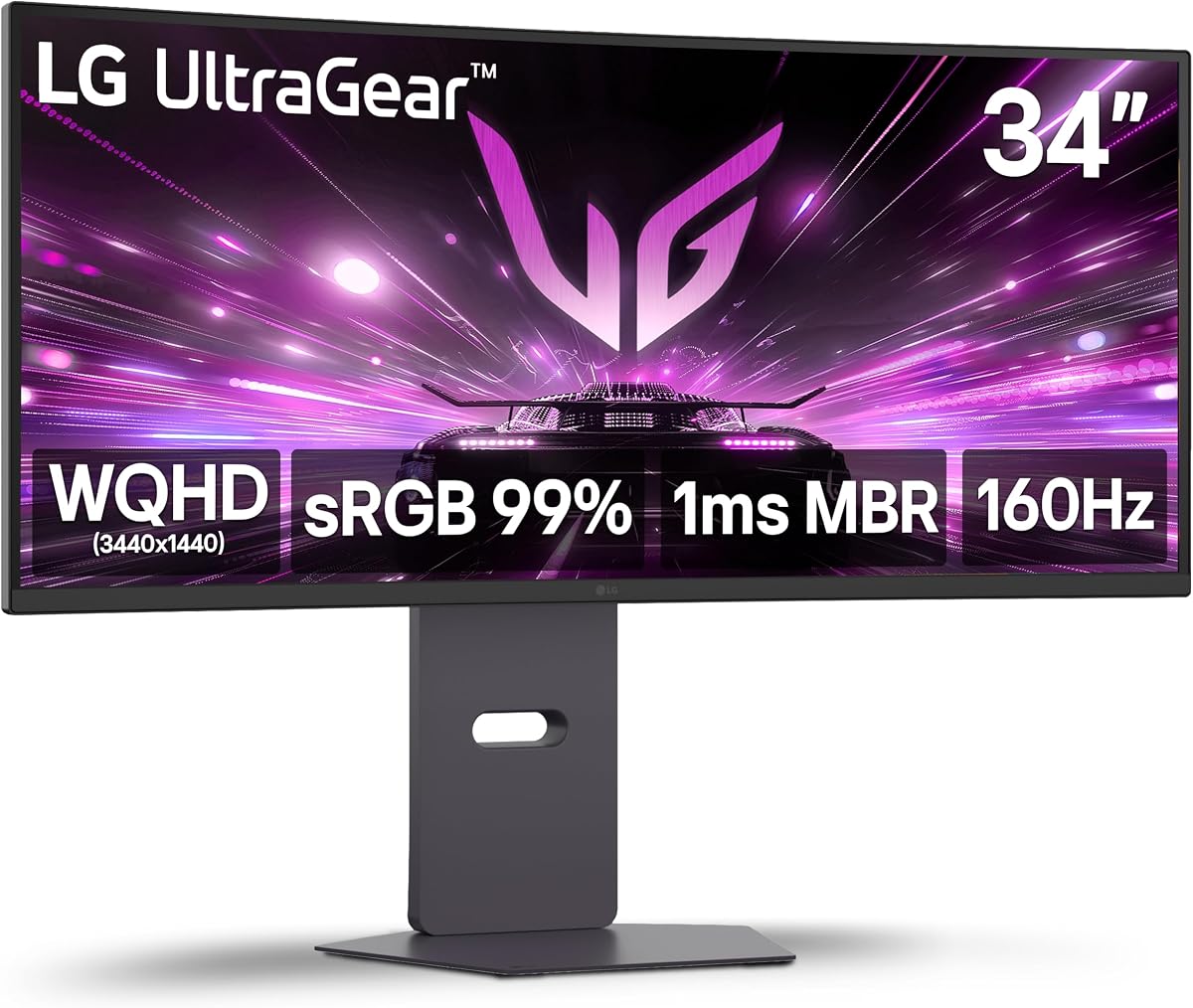
The LG 34G600A-B 34-inch Ultragear is a premium ultrawide option rated 4.5 stars. It combines WQHD resolution with a 160Hz refresh rate and AMD FreeSync Premium for top-tier competitive and cinematic performance.
We may earn a commission when you buy through this link, at no additional cost to you.
Strengths include a fully adjustable stand with height and swivel plus HDR10 and 99% sRGB coverage. The Waves MaxxAudio speakers add quality sound without extra peripherals.
Trade-offs involve the higher cost and potential complexity of settings menus. These are acceptable for users seeking a complete high-end solution without needing multiple accessories.
Enthusiasts and professionals should buy this for the full package of quality and ergonomics. It is the top recommendation for those prioritizing visual fidelity and stand flexibility.
The 34-inch WQHD panel with 1800R curvature expands your field of view helping you spot enemies and enjoy movies without distraction.
HDR10 support enhances contrast and brightness in supported content making scenes pop with vivid detail and dynamic lighting effects.
We may earn a commission when you buy through this link, at no additional cost to you.
The LG 34G600A-B Renewed offers the same premium ultrawide experience at a reduced cost. With a 5.0 rating, it confirms that certified refurbished units maintain high performance for demanding gaming and creative work.
We may earn a commission when you buy through this link, at no additional cost to you.
Strengths include all original high-end features like HDR10 AMD FreeSync Premium and a fully adjustable stand. This option brings luxury specs within reach for budget-conscious buyers.
Trade-offs involve the refurbished nature which may mean cosmetic wear and shorter warranty terms. These are acceptable for users willing to accept used condition for significant savings.
Value hunters should buy this for premium specs at a fraction of the price. It is ideal for those who prioritize performance over pristine packaging and new warranty terms.
Renewed units undergo testing to ensure they function like new giving you premium performance while saving money on the initial purchase.
The core specifications match new models ensuring you get the same refresh rate and resolution without compromising on visual quality.
We may earn a commission when you buy through this link, at no additional cost to you.
The Samsung 32 Odyssey G55C offers an aggressive 1000R curve rated 4.4 stars. This deep curvature wraps around your vision for maximum immersion in racing and flight simulators.
We may earn a commission when you buy through this link, at no additional cost to you.
Strengths include a 165Hz refresh rate and Eye Saver Mode to reduce blue light for comfortable long sessions. The QHD resolution provides sharp detail that balances performance and visual clarity.
Trade-offs involve the extreme curve which may take adjustment for non-gaming tasks and a basic stand without height adjustments. These are acceptable for users prioritizing immersion.
Sim racers and immersive gamers should buy this for the intense field of view. It is perfect for those who value wrapping visuals over traditional flat or shallow curve setups.
The 1000R curve matches the human eye for reduced distortion and a more natural viewing experience during extended gaming sessions.
With 165Hz and 1ms response time this monitor handles fast motion smoothly ensuring you stay competitive in fast-paced games.
We may earn a commission when you buy through this link, at no additional cost to you.
The Sceptre 34-inch Curved ultrawide delivers high refresh ultrawide performance rated 4.2 stars. It supports up to 180Hz and WQHD resolution for fluid visuals and expansive screen real estate.
We may earn a commission when you buy through this link, at no additional cost to you.
Strengths include built-in speakers and 99% sRGB coverage for solid color accuracy. The luminous backcover adds a modern aesthetic touch that enhances your gaming setup.
Trade-offs involve a basic stand and lower user ratings compared to premium brands. These are acceptable for those seeking high specs and features on a tight budget.
Budget ultrawide gamers should buy this for high refresh performance without extra cost. It is ideal for users who value screen width and speed over advanced ergonomics.
The 180Hz refresh rate via DisplayPort ensures extremely smooth frame transitions giving competitive players a distinct visual advantage.
A 3440×1440 ultrawide display offers 30% more screen space compared to standard monitors improving multitasking and content viewing.
We may earn a commission when you buy through this link, at no additional cost to you.
The Alienware 34 Curved Gaming Monitor AW3425DWM is a premium choice rated 4.6 stars. It features 180Hz refresh rate and WQHD resolution delivering top-tier visuals and smooth gameplay for demanding users.
We may earn a commission when you buy through this link, at no additional cost to you.
Strengths include VESA DisplayHDR 400 certification and 95% DCI-P3 coverage for accurate vibrant colors. A dedicated console mode and low blue light solution enhance usability for long sessions.
Trade-offs involve the higher price point and complex settings menu. These are acceptable for enthusiasts seeking flagship performance and distinctive industrial design elements.
Hardcore gamers and enthusiasts should buy this for the best-in-class features. It is perfect for those willing to invest in quality and design without compromise.
DisplayHDR 400 certification ensures high dynamic range content displays bright highlights and deep shadows for a cinematic visual experience.
Dedicated console modes tailor the display settings for game consoles ensuring optimal performance and color accuracy without manual tweaking.
We may earn a commission when you buy through this link, at no additional cost to you.
The AOC 34 Inch Curved Gaming Monitor delivers ultra-fast performance rated 4.5 stars. With a 200Hz refresh rate and 0.3ms MPRT response time it is built for competitive gaming and precision.
We may earn a commission when you buy through this link, at no additional cost to you.
Strengths include a fully ergonomic stand and multiple display ports ensuring flexible connectivity. The VA panel offers high contrast while HDR Ready support enhances supported content visibility.
Trade-offs involve basic HDR capabilities and lower brand recognition compared to market leaders. These are acceptable for users focused on raw speed and value.
Competitive gamers should buy this for the fastest response times available. It is ideal for those prioritizing frame rate and input latency over brand prestige.
The 0.3ms MPRT response time drastically reduces motion blur allowing you to track fast moving targets with crystal clear precision.
A 200Hz refresh rate ensures every frame is displayed instantly providing an edge in competitive shooters where split seconds matter.
We may earn a commission when you buy through this link, at no additional cost to you.
Selecting the right monitor involves balancing size resolution and refresh rate to match your gaming habits and desk space.
Screen size affects immersion and desk space requirements. For 1080p displays 24 to 27 inches is ideal while 34 inch ultrawides pair better with WQHD resolution.
Choose a size that fits your room and matches your PC capability.
Curvature measured in R values indicates how much the screen wraps around you. 1000R is the most immersive while 1800R is more subtle.
Select curvature based on your desired level of peripheral engagement.
Refresh rate determines how many frames appear per second. 160Hz provides smooth motion essential for competitive shooters.
Prioritize higher refresh rates if you play fast-paced games.
Response time measures how quickly pixels change color. Look for 1ms or lower to minimize ghosting and motion blur.
Ensure your monitor advertises MPRT or GtG for accuracy.
VA panels offer deep blacks and high contrast which suit immersive gaming. IPS provides better color accuracy but might have slower response.
Choose VA for contrast and IPS for color fidelity.
Ensure your monitor has the correct ports like HDMI 2.1 or DP 1.4 to support full refresh rates and resolution.
Check cable compatibility to avoid bandwidth bottlenecks.
Adjustable stands allow tilt height and swivel adjustments to reduce neck strain during long sessions.
Prioritize models with full ergonomics for comfort.
AMD FreeSync or NVIDIA G Sync reduces screen tearing by syncing the refresh rate with your graphics card.
Confirm your GPU supports the sync technology offered.
Connect the monitor using DisplayPort to ensure maximum refresh rate support if your graphics card allows for full performance.
Adjust brightness and contrast settings to match your room lighting and reduce eye strain during extended play sessions.
Clean the screen with a soft microfiber cloth and avoid harsh chemicals to maintain the anti-glare coating and surface integrity.
Yes to fully utilize 160Hz your PC must consistently render high frame rates. A strong CPU and GPU are necessary to avoid bottlenecks in demanding games.
Curvature enhances immersion by filling your peripheral vision which can help in spotting enemies. However some competitive players prefer flat panels for consistent geometry and distortion-free edges.
Many of these monitors work with consoles but verify HDMI versions. 4K consoles need HDMI 2.1 for 4K 120Hz while most work fine at lower resolutions.
1800R means the curve fits a 1800mm radius. It is less aggressive than 1000R and offers a balance between immersion and straight-edge usability.
VA panels have high contrast and deep blacks making them great for dark games. Their slower response times than IPS can cause minor ghosting in fast scenes.
Some models support HDR10 but true HDR requires high brightness which budget panels often lack. Real-world HDR impact varies by model and price point.
Turn off the monitor and use a dry microfiber cloth. If needed slightly dampen the cloth with distilled water avoiding sprays directly on the screen.
The top picks range from budget friendly SANSUI models to premium LG and Alienware ultrawides delivering solid 160Hz performance across categories.
Prioritize response time and panel contrast if you play competitive shooters but opt for higher resolution if you prefer cinematic immersion.
Prices and availability fluctuate frequently so confirm current stock and compatibility before making your final purchase decision today.