
Dell Latitude 3550
Affordable business pricing
Solid Ultra 7 performance
1TB storage capacity
Finding the right business laptop can be challenging when you need reliability, security, and strong performance. The Dell Latitude series offers a wide range of options designed specifically for professionals who demand efficiency and durability in their daily workflows.
We have carefully evaluated ten top models from the current lineup to help you make an informed decision. Our analysis focuses on key aspects like processor power, memory capacity, display quality, and connectivity options that matter most for enterprise environments.
Each pick below highlights specific strengths and trade-offs to guide your selection process. Please note that product availability and pricing can change frequently, so always verify the latest details before completing your purchase online.

5.0Editor score

4.6Editor score
As an Amazon Associate we earn from qualifying purchases.
The following table provides a quick side-by-side view of key specifications across all ten models to help you compare features at a glance.




The Dell Latitude 5350 Touchscreen stands out as a top choice for professionals needing both performance and interaction. With a perfect rating of 5.0 it delivers a seamless experience powered by the latest Intel Core Ultra 7 processor.
We may earn a commission when you buy through this link, at no additional cost to you.
Its 32GB of DDR5 RAM ensures smooth multitasking across heavy business applications while the 1TB SSD provides fast access to large files. The touchscreen adds a layer of productivity for note-taking and intuitive navigation.
While the price is higher than entry-level models the investment pays off in speed and durability. The slightly added weight is a reasonable trade-off for the versatility of a responsive touch interface.
This laptop is ideal for executives and creatives who need powerful tools for meetings and design work. We highly recommend it for those seeking a premium business device that keeps up with demanding daily tasks.
The included AI accelerators improve workflow efficiency by handling background tasks automatically.
Touchscreen support enables more natural interaction during presentations and collaborative sessions.
We may earn a commission when you buy through this link, at no additional cost to you.
The Dell Latitude 3550 offers impressive specs at a very competitive price point making it the clear value winner. It features a robust Intel Ultra 7 processor that handles daily business loads with ease.
We may earn a commission when you buy through this link, at no additional cost to you.
With 16GB of DDR5 RAM and a spacious 1TB SSD this machine provides plenty of room for multitasking and file storage. The inclusion of a fingerprint reader adds a layer of security often missing in budget tiers.
Although the build is more plastic than premium models it remains durable enough for office use. The main downside is the lower average rating which suggests some variability in unit quality.
We recommend this for small businesses or students who need high performance without the premium price tag. It is a practical choice for anyone prioritizing raw specs over refined materials.
Delivers high-end processing power typically found in much more expensive configurations.
Generous 1TB SSD ensures you never run out of space for work documents.
We may earn a commission when you buy through this link, at no additional cost to you.
The Dell Latitude 5450 is designed for professionals who need a portable powerhouse without sacrificing performance. Its 14 inch form factor makes it easy to carry while maintaining robust specs.
We may earn a commission when you buy through this link, at no additional cost to you.
With 32GB of RAM and a bright IPS display it handles complex tasks and long work sessions comfortably. The fast charge feature ensures you can get back to work quickly when your battery runs low.
Premium security features like IR webcam and encryption tools make this ideal for sensitive corporate environments. The price reflects the build quality and features though it may be steep for casual users.
This laptop is perfect for frequent travelers who need reliability on the go. We recommend it for business professionals who value security and mobility in their daily workflow.
Built-in security tools protect sensitive data during travel and remote work.
Fast charging and portability ensure productivity remains uninterrupted throughout the day.
We may earn a commission when you buy through this link, at no additional cost to you.
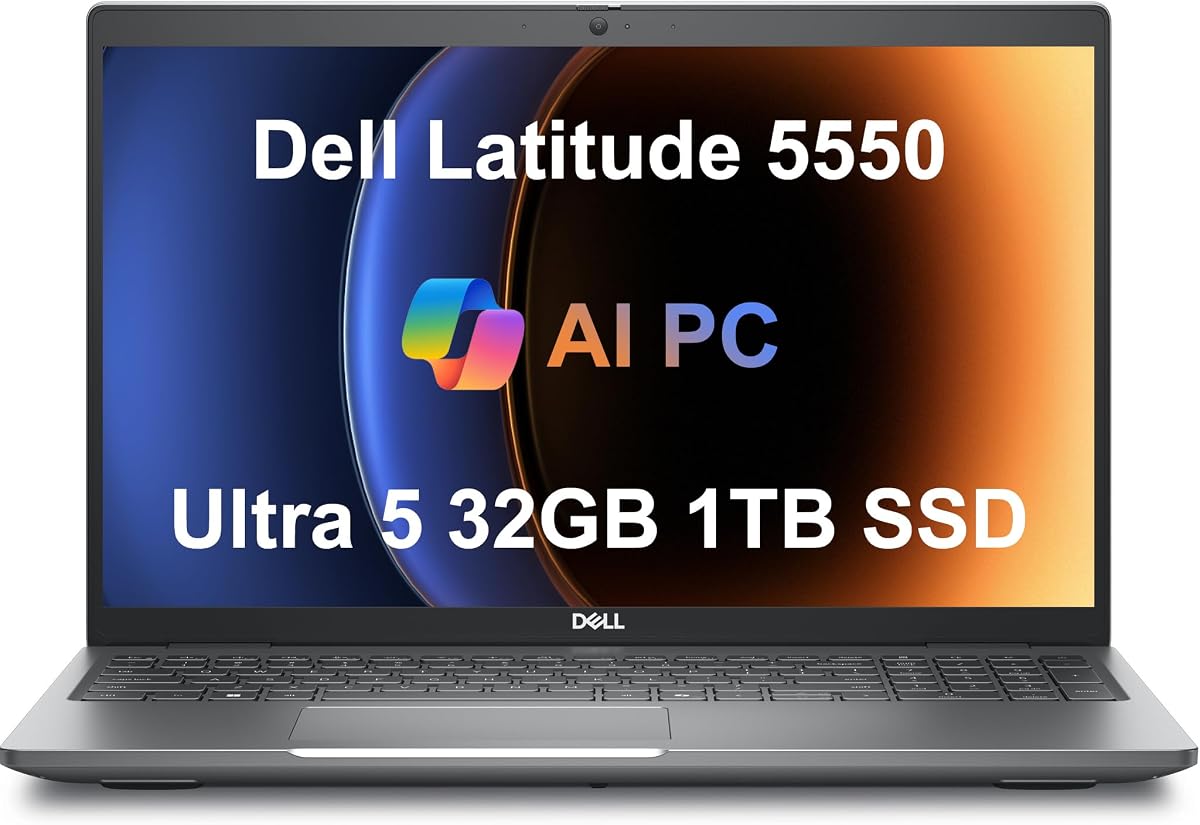
The Dell Latitude 5550 is a solid choice for businesses needing consistent performance across a fleet. It balances cost and capability effectively with a strong focus on stability.
We may earn a commission when you buy through this link, at no additional cost to you.
Dual SSDs help keep system and storage separate ensuring smoother performance over time. The 15.6 inch screen offers enough space for multitasking without being too heavy for travel.
While it lacks the raw speed of the Ultra 7 variants it is more than sufficient for standard office tasks. The battery life supports long days away from a power outlet which is crucial for field work.
We suggest this for companies looking for reliable general-purpose devices. It fits well for administrative staff or analysts who need dependable computing power.
Separating system and storage drives reduces risk and improves file management.
Long battery life ensures productivity continues during client visits.
We may earn a commission when you buy through this link, at no additional cost to you.
The Dell Pro 16 represents the next generation of business laptops with a focus on AI readiness and productivity. It offers a large display that is great for document editing and data analysis.
We may earn a commission when you buy through this link, at no additional cost to you.
Equipped with Intel Core 5 and 16GB of DDR5 it handles daily multitasking smoothly. The battery life is extended allowing users to work for longer periods without plugging in.
While 512GB of storage is standard for this class it is less than some competitors offer at similar price points. The display quality is good but not the brightest in the category.
This laptop is excellent for professionals who need more screen real estate on a desktop replacement. We recommend it for office workers who prioritize screen size and stability.
The 16 inch display provides ample room for spreadsheets and design tools.
Future-proof architecture supports upcoming AI enhanced Windows features.
We may earn a commission when you buy through this link, at no additional cost to you.
The Dell Latitude 5350 is a lightweight option designed for those who prioritize mobility above all else. Its ultra-portable nature makes it a favorite for frequent travelers.
We may earn a commission when you buy through this link, at no additional cost to you.
Weighing only 2.72 lbs it is easy to slip into a bag without adding bulk. The express charge technology means you can get enough power for a meeting in a short time.
The smaller screen might not suit everyone especially those doing detailed visual work. However the high rating suggests users appreciate the reliability and speed of the system.
We suggest this for consultants or field workers who are always on the move. It is ideal for anyone needing a secondary device for emails and meetings on the go.
Lightweight chassis and compact design reduce travel burden significantly.
Express charge keeps you productive with minimal downtime.
We may earn a commission when you buy through this link, at no additional cost to you.
The Dell Pro 16 Next Gen offers a large display at a price point that undercuts many rivals. It is a strong contender for users who need screen space without overspending.
We may earn a commission when you buy through this link, at no additional cost to you.
The i5 processor handles standard office tasks well though it is not designed for heavy computing. The display quality is good with a resolution that supports multitasking on the screen.
User feedback is mixed which may indicate inconsistencies in build quality or shipping. However the specs suggest it is a capable machine for basic business needs.
We recommend this for budget conscious buyers who need a desktop replacement. It is suitable for home offices where portability is less critical than screen size.
Provides a large workspace for an affordable price point.
Wi-Fi 6E ensures fast wireless speeds for modern networks.
We may earn a commission when you buy through this link, at no additional cost to you.
The Dell Latitude 5550 AI focuses on leveraging new AI capabilities for better productivity. It features a powerful processor that supports advanced workflows efficiently.
We may earn a commission when you buy through this link, at no additional cost to you.
The design is sleek and modern fitting well into professional environments. Connectivity is comprehensive allowing you to hook up multiple devices and displays easily.
Storage is limited to 512GB which might be tight for heavy media users. There is no rating data yet so buyer feedback is currently unavailable for this specific model.
We suggest this for tech forward teams needing AI specific features. It is a good choice for early adopters looking to integrate new productivity tools.
Dedicated AI accelerators speed up common tasks.
Sleek look matches well with modern office aesthetics.
We may earn a commission when you buy through this link, at no additional cost to you.
The Dell Latitude 5520 is a renewed model offering high specs at a lower price. It features a substantial amount of RAM and storage which is rare in this price range.
We may earn a commission when you buy through this link, at no additional cost to you.
While the processor is from an earlier generation it still handles many business tasks effectively. The renewed status means it has been inspected and tested for quality.
Battery life might be shorter than newer models due to usage. However for a desktop replacement in an office setting this is often not a major issue.
We recommend this for companies looking to equip teams affordably. It is a practical choice for budget constrained projects needing reliable hardware.
Offers high memory and storage for a reduced price.
Renewed testing ensures functionality before purchase.
We may earn a commission when you buy through this link, at no additional cost to you.
The Dell Latitude 3450 serves as a reliable entry point for business users needing a simple device. It is lightweight and easy to carry making it suitable for daily commuting.
We may earn a commission when you buy through this link, at no additional cost to you.
With 16GB of DDR5 RAM it manages basic multitasking well despite the entry level processor. The fingerprint reader adds security without requiring a password for every login.
Performance is limited for heavy workloads but sufficient for standard tasks. The build is simple but durable enough for office environments.
We suggest this for students or part time staff needing a secure machine. It is an ideal choice for users who prioritize mobility and basic functionality.
Lightweight and compact design simplifies daily travel.
Fingerprint scanner ensures quick and secure access.
We may earn a commission when you buy through this link, at no additional cost to you.
Choosing the right Dell Latitude requires understanding your specific workflow needs and budget constraints.
The processor determines how well the laptop handles tasks. For general office work, an i3 or i5 is sufficient, while power users should opt for i7 or Ultra 7 chips for demanding workloads.
Prioritize a chip that matches your software needs to avoid unnecessary costs.
RAM is critical for multitasking; 16GB is the current standard for smooth operation. Storage speed is equally important, so look for NVMe SSDs to ensure fast boot times and file access.
Aim for at least 16GB RAM and 512GB storage for modern business tasks.
The screen is your primary window to work, so resolution and size matter. Look for 1920×1080 or higher to ensure text remains sharp during long hours.
Consider brightness and anti-glare coatings if you often work in varied lighting.
If you travel frequently, weight and size are key factors. Laptops under 3 lbs offer better mobility, while 15 to 16 inch models provide better screen space for desktop replacement.
Check the build materials to ensure durability if the device will be used in field environments.
Ensure the laptop has the ports you need, such as USB-C, HDMI, or Ethernet. Modern models often rely on Thunderbolt, so dongles may be necessary for older peripherals.
Select a model that supports your docking setup and peripheral requirements.
Battery capacity varies widely between models, so check for all-day usage claims. ExpressCharge technology can be a lifesaver for quick top-ups during business trips.
Look for models offering 8 hours or more of real-world usage for maximum freedom.
Business laptops often include hardware-level security like TPM chips and fingerprint readers. Privacy features like IR cameras and webcams with shutters add layers of protection.
Choose a model with security tools that align with your company policies.
Dell often includes standard warranties, but extended plans are available for enterprise needs. Check for ProSupport options that offer rapid onsite repair to minimize downtime.
Always verify warranty terms to ensure coverage for critical components.
Start by setting up your user account and enabling security features like BitLocker to protect your data. Connect to a secure Wi-Fi network to begin downloading updates.
Keep the exterior clean using a microfiber cloth and avoid exposing the laptop to extreme temperatures. Clean the ports occasionally to prevent dust buildup that could interfere with connections.
Manage your battery by letting it discharge occasionally to recalibrate the sensor. Use the Sleep or Hibernate modes when not in use to extend battery life over time.
Dell Latitude laptops are built for business use with stronger security features and better durability. Inspiron models are designed for general consumer use with more focus on entertainment features.
For modern applications and multitasking, 16GB of RAM is recommended. If you run virtual machines or heavy data software, consider 32GB to ensure smooth performance.
While they handle light games, they are not optimized for high-end gaming. The integrated graphics are best for casual play rather than demanding video games.
Many older Latitude models allow RAM upgrades, but newer ones often have soldered memory. Check the specific service manual for your model before attempting any upgrades.
Battery life varies by model, but expect 8 to 10 hours for most mid-range units. Some premium models offer longer endurance depending on the settings and workload.
Yes, most Dell Latitude business models come pre-installed with Windows 11 Pro. This includes enterprise features like BitLocker and Hyper-V virtualization.
Use a soft microfiber cloth to wipe the screen gently. Avoid using harsh chemicals or paper towels which can scratch the coating on the display.
Newer models typically include USB-C Thunderbolt, USB-A, and HDMI. You may need adapters for older peripherals or docking stations depending on your setup.
We highlighted the Latitude 5350 Touchscreen as our top pick for its balance of power and features. The Latitude 3550 serves as a strong budget option for those watching their spending.
Consider your specific workflow needs when choosing between screen size and portability. Prioritize battery life and security if you travel frequently for work.
Prices and availability change often, so verify current deals before making your purchase. These models are a solid choice for professionals looking for reliable computing.